How much to fix iPhone charging port

BSC Insights Admin
October 07, 2026
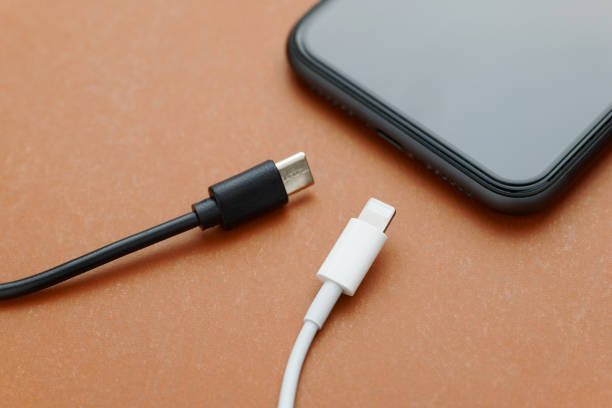
How Much Does It Cost to Fix an iPhone Charging Port?
The cost to fix an iPhone charging port can vary significantly, typically ranging from $30 for simple DIY cleaning to over $400 for professional replacement, especially if other components are damaged. Key factors influencing the price include the iPhone model, the extent of the damage, whether you use Apple's authorized service, an independent repair shop, or attempt a DIY repair.
A malfunctioning charging port is one of the most common issues iPhone users face, making their device unable to charge or connect properly to a computer. Understanding the potential causes and available repair options can help you make an informed decision and manage repair costs effectively.
Why Your iPhone Charging Port Might Be Broken
Several issues can lead to your iPhone's charging port becoming unreliable or completely non-functional. Identifying the root cause is the first step toward finding the right solution.
Debris and Lint Accumulation
Over time, dust, lint, pocket fluff, and other small particles can accumulate inside the Lightning port. This debris can prevent the charging cable from making a proper connection with the internal pins, leading to intermittent or no charging. This is often the easiest and cheapest problem to fix.
Water Damage
Exposure to liquids can corrode the delicate internal components and pins of the charging port. Even if your iPhone has some water resistance, direct exposure to the port can cause significant damage, leading to electrical shorts or complete failure. Water damage repair can be complex and expensive.
Physical Damage or Wear and Tear
Constant plugging and unplugging of charging cables, accidental drops, or excessive force can cause physical damage to the port itself. The internal pins can bend, break, or become loose, impairing the connection. This is a common form of charging port damage that requires careful attention.
Faulty Charging Cable or Adapter
Sometimes, the problem isn't the phone's port but the accessories. A damaged or non-MFi (Made for iPhone) certified charging cable or a faulty wall adapter can prevent your iPhone from charging. It's crucial to rule these out before assuming a port issue.
Software Glitches
Rarely, a software bug or glitch can interfere with the charging process, making it appear as if the charging port is faulty. A simple restart or software update can often resolve such issues.
Troubleshooting Before You Repair: DIY Fixes for Charging Issues
Before rushing to a repair shop, there are several straightforward troubleshooting steps you can take that might resolve your iPhone charging issues without any cost.
1. Clean the Charging Port Carefully
This is often the most effective DIY fix for a non-charging iPhone. Use a flashlight to inspect the port for lint or debris. Then, gently use a non-metallic, non-conductive tool like a wooden toothpick, a small plastic dental pick, or a dry, soft-bristled toothbrush to meticulously remove any foreign material. Be extremely gentle to avoid damaging the sensitive pins inside the port. You can also use a can of compressed air, holding it upright and spraying in short bursts from a distance to dislodge debris.
2. Try a Different Charging Cable and Adapter
As mentioned, a faulty cable or wall adapter is a common culprit. Always try charging your iPhone with a different, known-good Apple-certified (MFi) Lightning cable and a different power adapter. If it charges, you've identified the problem, and your port is likely fine.
3. Restart Your iPhone
A simple restart can often clear minor software glitches that might be interfering with your phone's charging capabilities. Power off your iPhone completely and then turn it back on after about 30 seconds.
4. Update iOS
Ensure your iPhone is running the latest version of iOS. Apple frequently releases software updates that include bug fixes, which could potentially resolve charging-related issues. Connect to Wi-Fi and navigate to Settings > General > Software Update.
5. Check for Liquid Contact Indicator (LCI)
Most iPhones have an LCI that turns red when it comes into contact with water. On newer models (iPhone 5 and later), this indicator is located inside the SIM card slot. While not directly for the charging port, a red LCI can indicate water damage throughout the device, which might extend to the charging port.
How Much Does It Cost to Fix an iPhone Charging Port?
Once you've ruled out simple DIY fixes, it's time to consider professional repair. The cost will depend heavily on your chosen repair path.
DIY Repair Costs (Beyond Cleaning)
Attempting to replace the iPhone charging port component yourself is generally not recommended for most users due to its complexity and the risk of further damage. The charging port is often soldered onto a flex cable assembly that includes other components like the headphone jack (on older models), microphone, and cellular antennas, making it a delicate repair. However, if you're technically proficient and comfortable with micro-electronics, here's what you might expect:
- Replacement Part: A genuine or high-quality aftermarket charging port flex cable assembly can cost anywhere from $20 to $50, depending on the iPhone model and supplier.
- Tools: You'll need specialized tools like pentalobe screwdrivers, suction cups, spudgers, and possibly a heat gun. A basic kit might cost $10-$30.
- Risks: High risk of damaging other components, voiding your warranty, or rendering your phone unusable. This option is only viable for those with significant technical expertise.
For most users, DIY charging port replacement is not a cost-effective or safe option compared to professional services.
Professional Repair Costs
Professional repair offers peace of mind and expertise. The price varies based on who performs the repair:
Apple Store or Authorized Service Providers
Apple offers the most reliable repair service, but often at a higher price, especially for out-of-warranty repairs. They typically use genuine parts and provide a warranty on their repairs.
- In-Warranty Repair: If your iPhone is still under its one-year limited warranty or has AppleCare+, and the damage isn't due to accidental misuse (like liquid damage), the repair or replacement might be free or incur a low service fee/deductible (e.g., $29 for AppleCare+ accidental damage claims).
- Out-of-Warranty Repair: Without a warranty or AppleCare+, the cost can be substantial. Apple often prefers to replace the entire device or a larger component assembly rather than just the charging port, as it's often integrated with other parts. Expect costs ranging from $100 to over $400, depending on the iPhone model. For newer models, it can be close to the cost of a new phone.
Independent Third-Party Repair Shops
These shops are often a more affordable option than Apple, but quality can vary. It's crucial to choose a reputable shop with experienced technicians.
- Cost: Typically, independent repair shops charge between $50 and $180 for an iPhone charging port replacement. The price depends on the model's complexity and the shop's labor rates.
- Pros: Generally faster and cheaper than Apple.
- Cons: May use aftermarket parts (which can vary in quality), might void any remaining Apple warranty, and expertise levels differ widely. Always check reviews and ask about part quality and warranty on their repair.
Mail-in Repair Services
Several online services offer mail-in iPhone repairs. You ship your device, they repair it, and send it back. Costs are generally comparable to independent local shops.
- Cost: Expect similar pricing to walk-in independent repair shops, usually between $60 and $200.
- Pros: Convenience for those without local repair options.
- Cons: Device is out of your possession for several days to a week, potential shipping risks.
Estimated Cost Breakdown by iPhone Model
Here's a general table illustrating estimated costs for iPhone charging port repair based on model series:
| iPhone Model Series | Estimated Independent Repair Cost | Estimated Apple Out-of-Warranty Cost |
|---|---|---|
| iPhone 7/8/SE (2nd/3rd Gen) | $50 - $90 | $100 - $200 |
| iPhone X/XR/XS | $70 - $120 | $150 - $300 |
| iPhone 11/12/13 Series | $80 - $150 | $200 - $350 |
| iPhone 14/15 Series | $100 - $180 | $250 - $400+ |
Note: These are estimates and actual costs can vary based on location, specific damage, and repair provider.
Factors Influencing iPhone Charging Port Repair Cost
Beyond the choice of repair service, several factors directly impact the final price you'll pay:
- iPhone Model: Newer and more complex models (e.g., iPhone 14/15 Pro Max) generally cost more to repair due to intricate designs and expensive parts.
- Warranty Status: Apple's limited warranty or AppleCare+ can significantly reduce or eliminate repair costs for eligible issues.
- Type of Damage: A simple debris removal is free, but extensive water damage that affects the logic board in addition to the port will be far more expensive, potentially leading to a device replacement.
- Part Quality: Independent shops might offer different price points based on whether they use genuine Apple parts, high-quality aftermarket parts, or cheaper generic components.
- Labor Rates: Repair costs can vary geographically based on average labor rates in your area.
Is DIY Repair a Good Idea for a Charging Port?
For simple issues like lint or debris, DIY cleaning of the charging port is highly recommended and cost-effective. However, attempting to replace the charging port flex cable assembly yourself carries significant risks:
- Complexity: The repair involves delicate connectors, tiny screws, and often requires transferring small components.
- Risk of Further Damage: You could easily damage the screen, battery, or even the logic board, turning a relatively cheap repair into an expensive one.
- Voiding Warranty: Opening your iPhone yourself almost certainly voids any remaining warranty from Apple.
- Part Quality: Sourcing reliable replacement parts can be challenging, and low-quality parts can lead to future issues.
Unless you have extensive experience in iPhone repair, it's generally best to leave physical charging port replacements to professionals.
Choosing a Reputable iPhone Repair Service
When your charging port truly needs professional attention, selecting the right service is key:
- Apple Store/Authorized Service Provider: Best for in-warranty repairs, AppleCare+ users, or if you prioritize genuine parts and factory standards, regardless of cost.
- Independent Repair Shops: A good balance of cost and quality for out-of-warranty repairs. Look for shops with excellent reviews, transparent pricing, and a clear warranty on their work and parts. Ask if they use OEM (Original Equipment Manufacturer) or high-quality aftermarket parts.
Prevention Tips for Charging Port Issues
To avoid future iPhone charging port problems, consider these preventative measures:
- Use MFi-Certified Cables and Adapters: Always use Apple-certified accessories to ensure proper voltage and physical fit, protecting your port.
- Charge Carefully: Plug and unplug your charging cable gently and straight into the port. Avoid wiggling or yanking the cable.
- Keep Your Port Clean: Regularly check your port for lint and debris, especially if you carry your phone in a pocket. A quick, gentle clean with a toothpick can prevent buildup.
- Protect from Dust and Water: If you work in dusty environments or are prone to accidents, consider a protective case with port covers.
Conclusion
A broken iPhone charging port can be a frustrating issue, but understanding the various repair options and associated costs can help you navigate the process. While simple DIY troubleshooting can often resolve minor issues like debris, significant damage typically requires professional intervention. Expect to pay anywhere from $50 to over $400, depending on your iPhone model and whether you opt for Apple's service or a third-party repair shop. Always prioritize getting a proper diagnosis and choosing a reputable service provider to ensure a reliable and lasting fix for your iPhone's charging capabilities.
Enjoyed this read?
Share it with your friends and colleagues.